H3 Video Editing through QK fusion
In this blog I’ll cover how elements of a video can be edited through QK fusion. This includes swapping/modifying characters, clothes and items.
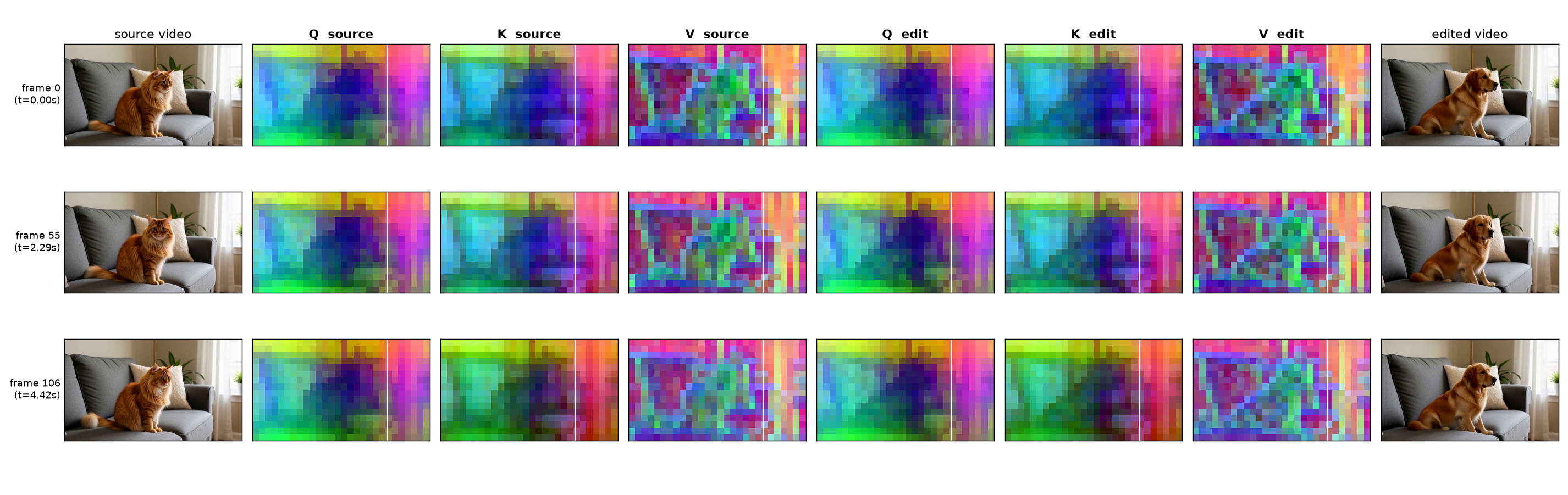
Figure 1. Q, K from source maintain the overall structure while V adds the target details.
Contents
Methodology
MiniMax H3 is a video model that treats the entire input as a joint task. In previous models like Wan, the text and image ref came through a separate cross-attn path while the frame conditioning was clean for every step. This meant every step had a single timestep.
In H3, all the conditions live inside the same input sequence. Video and audio refs are pinned to near clean refs while audio and video target latents go through the normal denoising process.
ConsistEdit[2] focused on video editing through QKV fusion on older models. It found that in the vision tokens, Q and K carry the structure, and V carries the content. We use the same approach here but with some modifications. First, we use our own mask instead of attention mask for two reasons, attention masks don’t work properly with H3 and we want to have freedom over the size of the edit area as it depends on the final generation. Second, unlike previous models we need to pin the background tokens’ timestep in this one or else we start seeing seams in the edit. Since H3 handles the timestep mismatch quite well, it handles the seams and overall consistency.
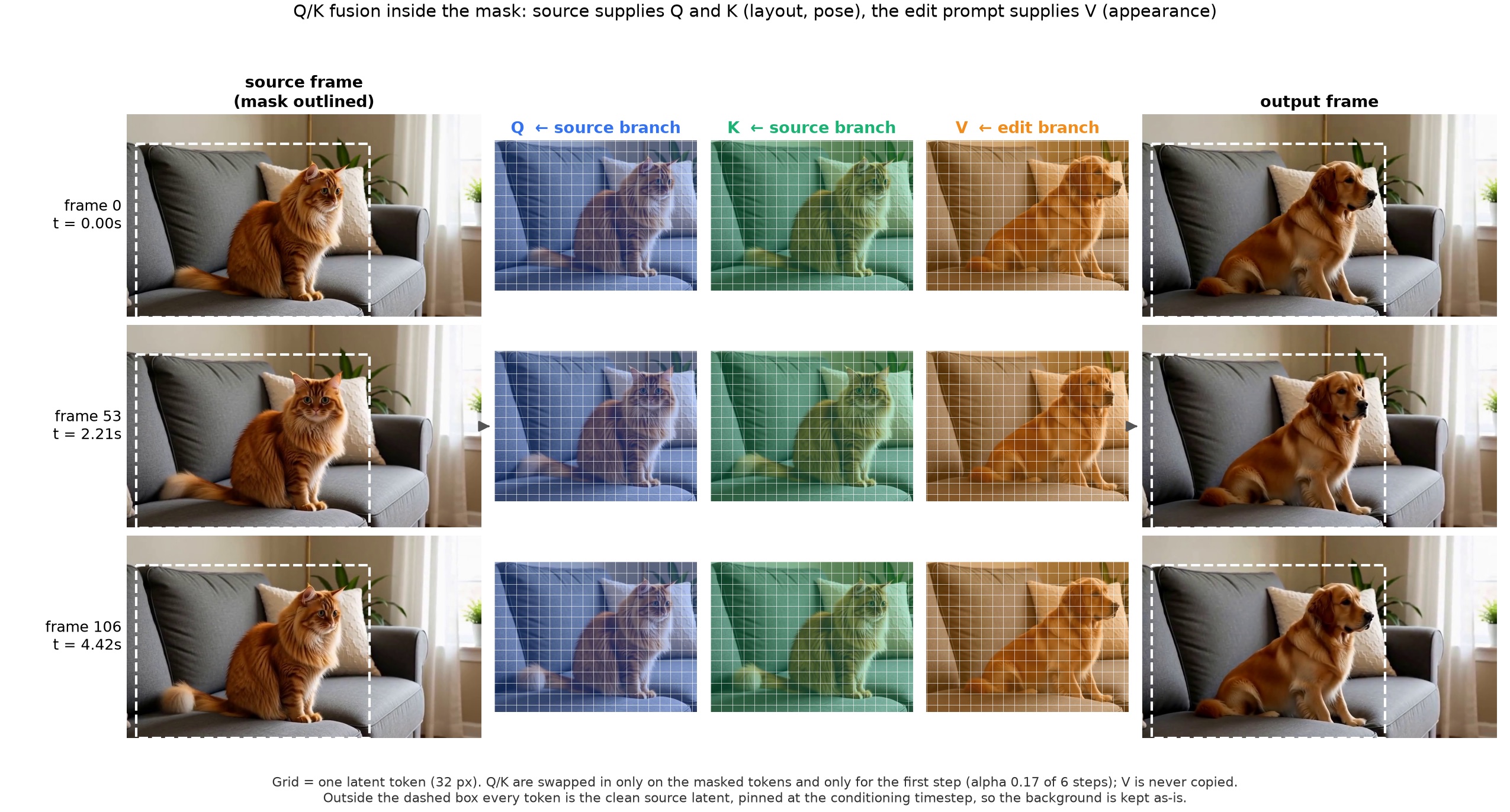
Figure 2. High level overview. The real tensors are in Visualizing Q/K/V.
Here are the attention masks that I got with H3. Although with some optimizations these could be used, I left it out of current experiments.
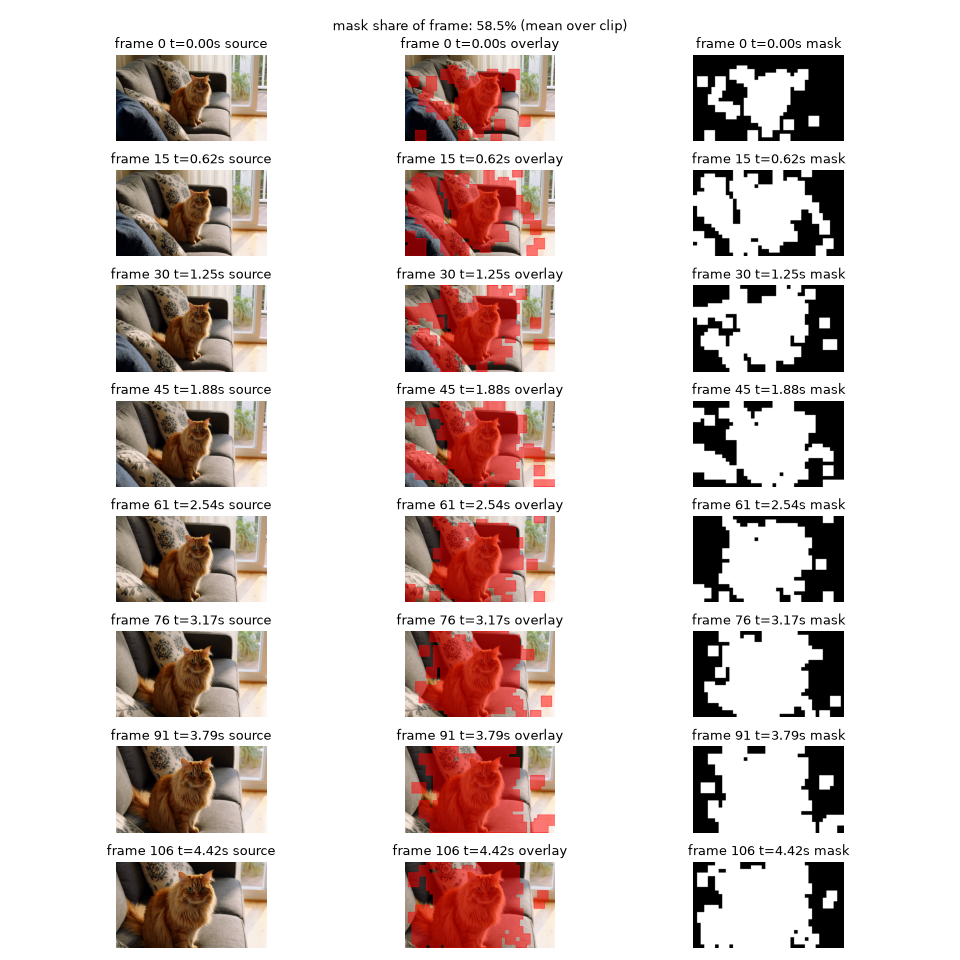
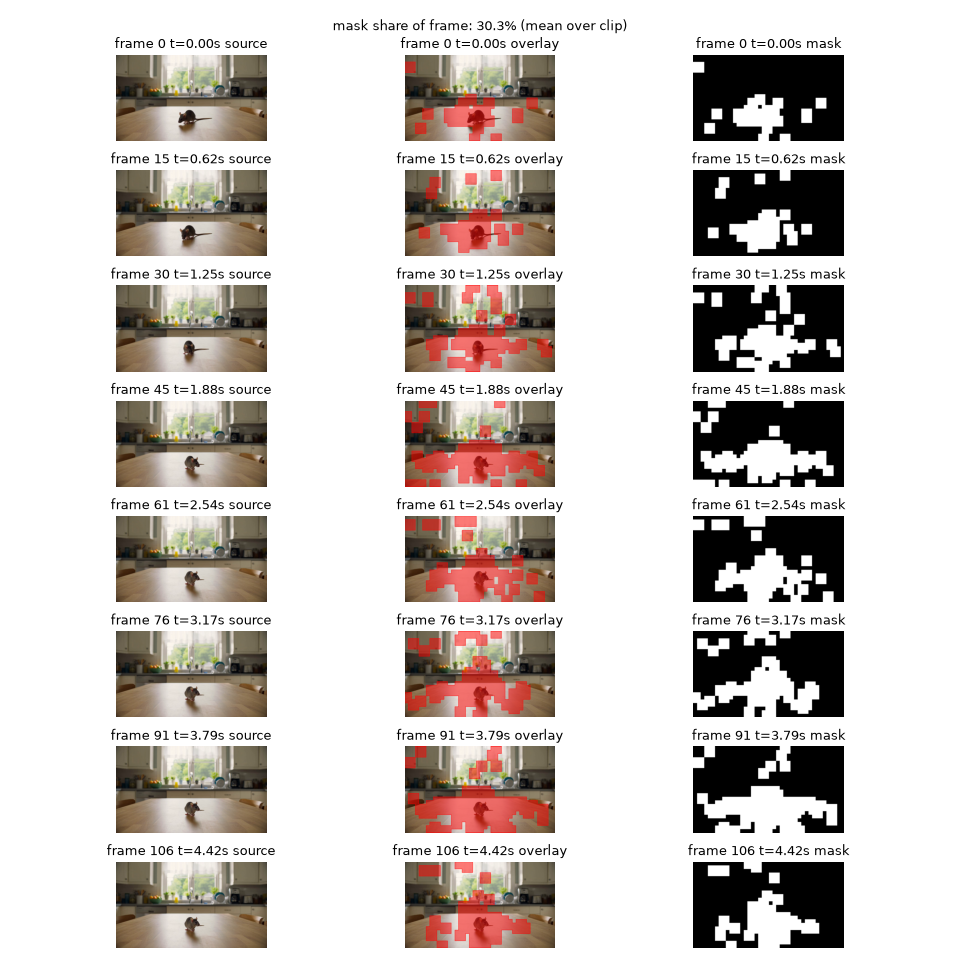
Figure 3. Attention derived masks for "cat" (left) and "mouse" (right). Both (incorrectly) spread over the sofa or the table.
Let’s quickly cover the steps involved.
Step 1: Mask generation
For this experiment I generated the mask using OWLv2. I ran the open-vocabulary detector on every 4th frame with a query like “a photo of a cat” and padded the resulting box by 10%. The resulting mask edge is not a clean separation and it fades slowly by 8 to 16 px. For moving masks the pad was 15%.
Below are two examples of the masks that I generated.
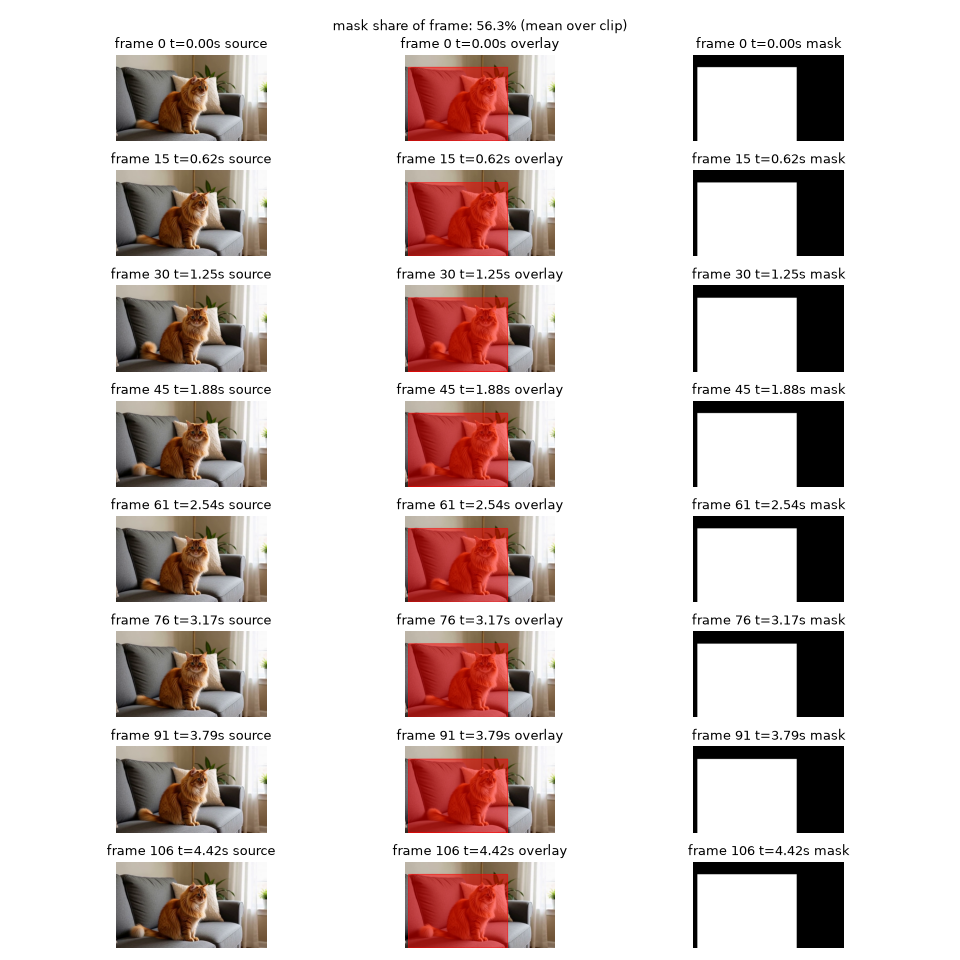
Figure 4. Cat mask
One observation that I had is, this method struggles with areas that have fine details e.g. faces, unless they are being regenerated completely. So I left out the face in the mask below.
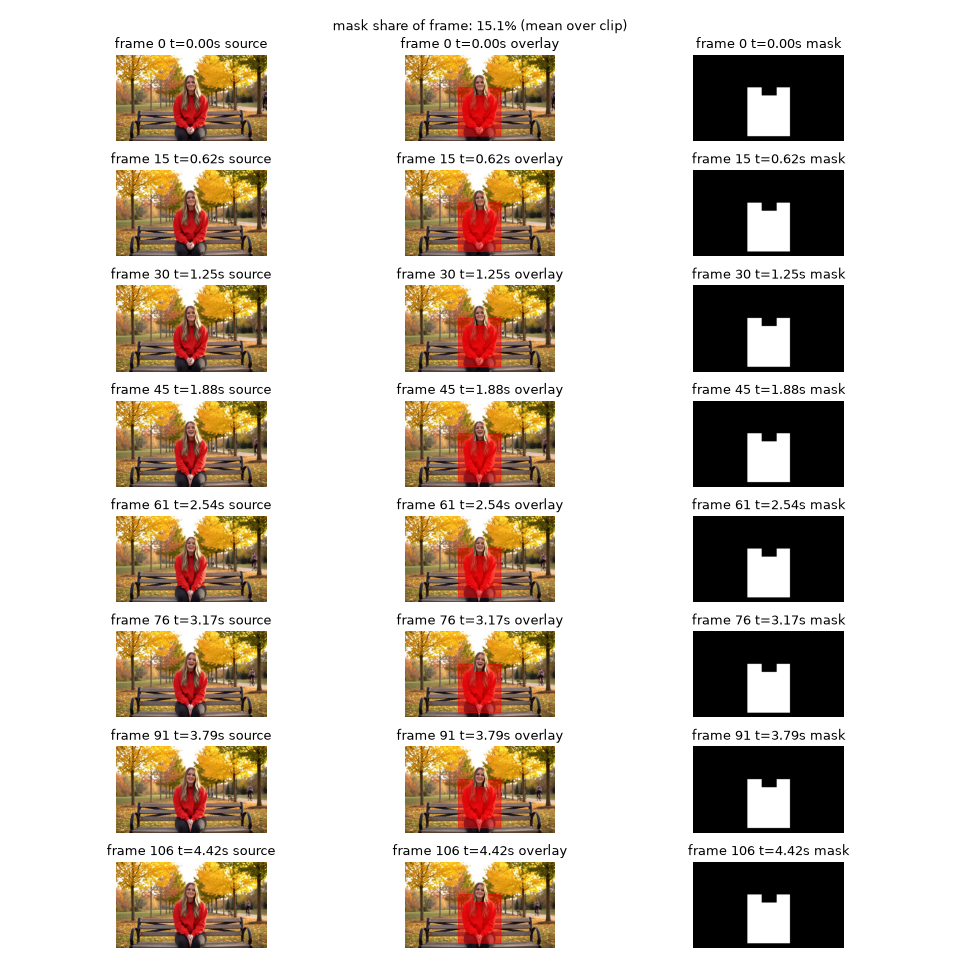
Figure 5. Hoodie mask
Step 2: Background conditioning
As I mentioned above, pure inpainting in H3 leads to ‘glass’ seams and the model not blending the background and the image. But if we fix the timestep of the background tokens, it is treated as clean latent and the model can use it as a context for the generation inside.
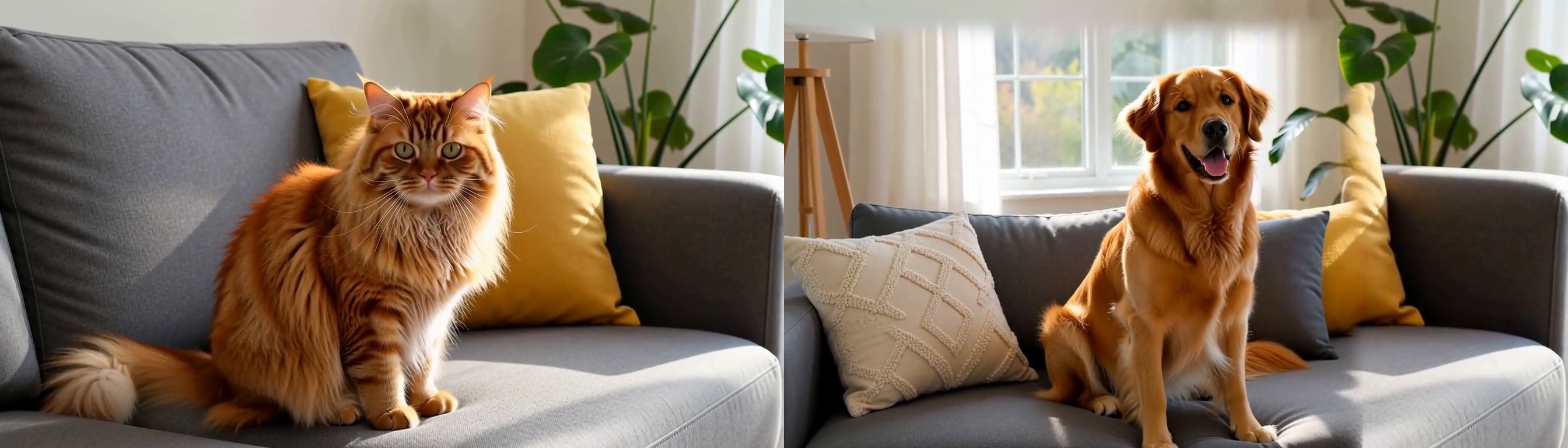
Figure 6. Latent blending with a mask and no QK fusion. Model doesn't maintain consistency here.
Step 3: QK fusion
Pinning the timestep gives a stable background, but the model has no proper context of what to do inside the masked region. If the prompt says “a dog sitting on the sofa”, his pose and movements can be completely different from the src video. Fusion fixes that. For the first K = int(alpha x steps) steps, every masked video token at every layer in the edit branch gets its Q and K token vectors from the src video. This requires that we save the QK cache from our src video run. If the video is not generated / new, then we’ll need to first invert it to noise and then do the forward pass. I did ablations to find the optimal number of fusion steps, and for the 6 step checkpoint, 1-2 steps seem to be enough.
Results
I used Pika H3 Flex (6-step) via SGLang (convrot_int8 weights) for this experiment. On a 4090 with 896x512 5s clips, it took roughly 6.6 mins for both model passes.
Comparing it with full frame QK injection, we see that it actually hurts the output, as the model now takes the background as something different from what it saw last and changes the inpainting region accordingly.
Sample edits
Seven more edits, all with the same settings. Each is a single run with no manual seeds / cherry picking.
Figure 7. All eight edits back to back, source on the left (36 s).
Figure 8. Individual edits.
Ablations
Isolating Q and K
Here I varied what was copied over from the src video. Instead of doing Q+K, I tried copying only Q and only K. Surprisingly, only copying Q seems to be doing better than Q+K in some cases.
Optimal fusion steps
I found that forcing src QK on more number of steps has an adverse effect on the output quality as the model’s freedom to generate the finer details gets restricted.
Visualizing Q/K/V
I captured the viz below to see the changes in Q/K/V across steps, frames and layers. Some things that I qualitatively noticed in this are:
- Both Q and K seem to be forming structures in the initial layers.
- There is a lot of high freq data in late layers, possibly contributing to finer details.
- After the first fused step, changes in the background’s QK become minimal, confirming our explanation above of the model treating these as completed latents.
- Interestingly the change in K in the last layer is almost zero, suggesting that there’s little content information present.
Limitations
- No inversion. All sources used here were generated by H3 itself with a fixed seed. Editing a non H3 video would require it to be inverted to noise first, followed by a forward pass.
- Extra disk space. Storing QK cache requires disk space, it was about 15 GB in my experiments (for one fused step).
- Small study. I’ve only tested this method in a few scenarios and none of them used native references. There’s a lot of scope for improvement and extension (see Future Work).
- Speed. This method requires 2X the NFEs (one for src and the other for the output) and thus it takes 2X the generation time.
Future Work
There are a lot of optimizations possible and depending on the injection depth the output quality can be controlled.
- Finding the ideal subset of layers to inject, decreasing memory footprint significantly (can alternate layers work?)
- Experimenting with the strength of QK blending instead of pure overwrite
- Mixing audio tokens for voice transfer, changing timbre of the audio
- Experimenting with native references and keyframes to stabilize smaller details
References
- MiniMax. MiniMax H3, joint audio-video generation model. Hugging Face model card,
MiniMaxAI/MiniMax-H3, 2026. - Z. Yin et al. ConsistEdit: Highly Consistent and Precise Training-free Visual Editing. 2025. Code: github.com/zxYin/ConsistEdit_Code.